
A Tailwind CSS testimonial section shows real customer quotes with a name, role and photo, usually as a card grid, a carousel or a scrolling marquee. Below are eight free testimonial layouts from OpenTailwind with screenshots, plus Tailwind v4 code for an accessible testimonial card and grid that works in light and dark mode.
Every example links to a preview page where you can customize it and, after signing in with an account that includes it, copy the HTML. They are plain Tailwind classes, so you can paste them into React, Vue, Astro, or a static page.
Table of contents
- What makes a testimonial work
- Testimonial card code
- Grid and bento layouts
- Carousels and marquees
- Video and image testimonials
- Accessibility and dark mode
- FAQ
What makes a testimonial work
Layout matters less than content. A plain grid of specific, attributed quotes is more convincing than an animated carousel of vague praise. Before choosing a design, collect quotes that have:
- A specific outcome. What changed for the customer: time saved, a problem solved, a process replaced. Use their words.
- Full attribution. Name, role and company, with a photo when the person agrees to it.
- Permission. Get written consent to publish the quote, name and photo. Do not invent or edit testimonials to say something the customer did not say; in the US, the FTC treats fake or misleading reviews as deceptive advertising.
- Relevance. Put quotes near the claim they support. A quote about support response times belongs near your support or pricing section, not in a generic block at the bottom.
Three to six good quotes are usually enough for a landing page. If you have dozens, a marquee or a masonry wall can show volume, but lead with the strongest few.
Testimonial card code
The right HTML for a testimonial is a <figure> containing a <blockquote> for the quote and a <figcaption> for the attribution. This tells assistive technology that the text is a quotation and who said it.
<figure class="flex h-full flex-col rounded-2xl border border-neutral-200 bg-white p-6 dark:border-neutral-800 dark:bg-neutral-900">
  <div class="flex gap-1 text-amber-500" aria-hidden="true">
    <svg class="size-4" fill="currentColor" viewBox="0 0 20 20">...</svg>
    <!-- repeat for 5 stars -->
  </div>
  <p class="sr-only">Rated 5 out of 5</p>

  <blockquote class="mt-4 flex-1 text-neutral-700 dark:text-neutral-300">
    <p>We moved our booking flow over in an afternoon. Patients stopped calling to reschedule because they can do it themselves now.</p>
  </blockquote>

  <figcaption class="mt-6 flex items-center gap-3">
    <img src="/avatars/maria.jpg" alt="" width="40" height="40" class="size-10 rounded-full object-cover" />
    <div class="text-sm">
      <div class="font-semibold text-neutral-900 dark:text-white">Maria Lopez</div>
      <div class="text-neutral-600 dark:text-neutral-400">Practice manager, Northside Dental</div>
    </div>
  </figcaption>
</figure>
The name and quote above are placeholders; replace them with your own customer's words. Some notes on the markup:
- The star icons are hidden from screen readers with
aria-hidden="true", and the rating is given once as text withsr-only. Otherwise a screen reader may read five separate images. - The avatar uses
alt=""because the person's name is right next to it. Repeating the name in the alt text would make screen readers announce it twice. h-fullandflex-1on the quote keep cards in the same row equal height, with attributions aligned at the bottom.
Place the cards in a responsive grid:
<section aria-labelledby="testimonials-heading" class="bg-neutral-50 py-24 dark:bg-neutral-950">
  <div class="mx-auto max-w-7xl px-6 lg:px-8">
    <h2 id="testimonials-heading" class="text-center text-3xl font-semibold tracking-tight text-neutral-900 dark:text-white">
      What clinics say after switching
    </h2>
    <div class="mt-12 grid gap-6 md:grid-cols-2 lg:grid-cols-3">
      <!-- figure cards -->
    </div>
  </div>
</section>
Grid and bento layouts
Grids are the safest choice. Every quote is visible at once, nothing moves, and they work without JavaScript.
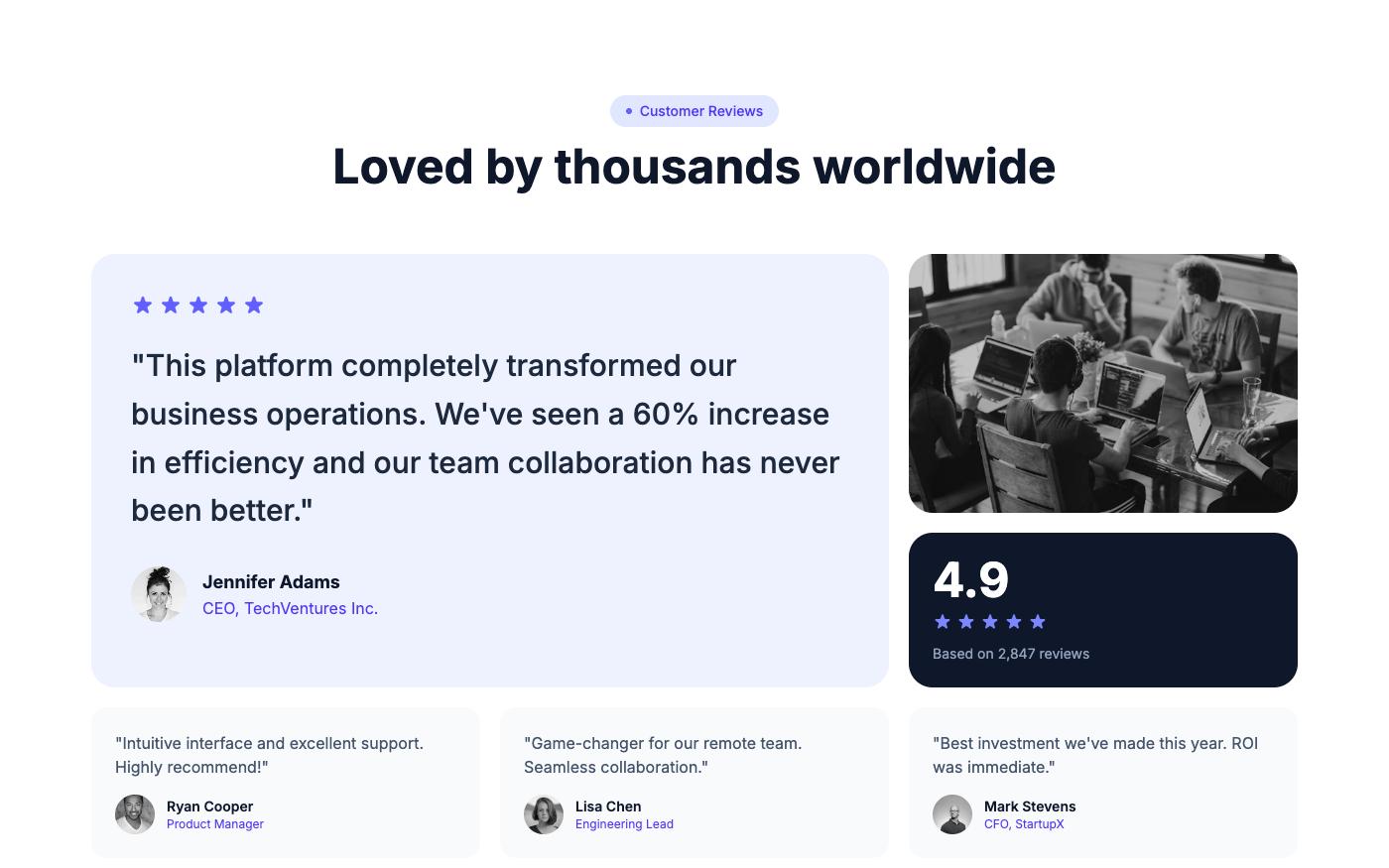
1. Bento rating grid
Mixed card sizes with star ratings. A large card can hold your strongest quote while smaller ones fill in around it.
2. Centered quote grid
A centered heading over an even grid of quote cards. Simple, and easy to extend from three cards to six. Preview: centered quote grid.
3. Social wall masonry
Cards of different heights in a masonry layout, styled like social posts. Good for products with many short reviews. In Tailwind this pattern is usually built with columns-1 sm:columns-2 lg:columns-3 and break-inside-avoid on each card. Preview: social wall masonry.
4. Split avatar grid
A heading and summary on one side, quote cards on the other. Works when you want to pair testimonials with a short statement. Preview: split avatar grid.
Carousels and marquees
Carousels save vertical space but hide most of the content behind a click. Marquees show volume at a glance but are hard to read while moving. Use them when you have enough strong quotes that showing all of them at once is not practical.
5. Dual marquee
Two rows of cards scrolling in opposite directions. It reads as social proof at a glance, and individual quotes can still be read when the animation pauses.
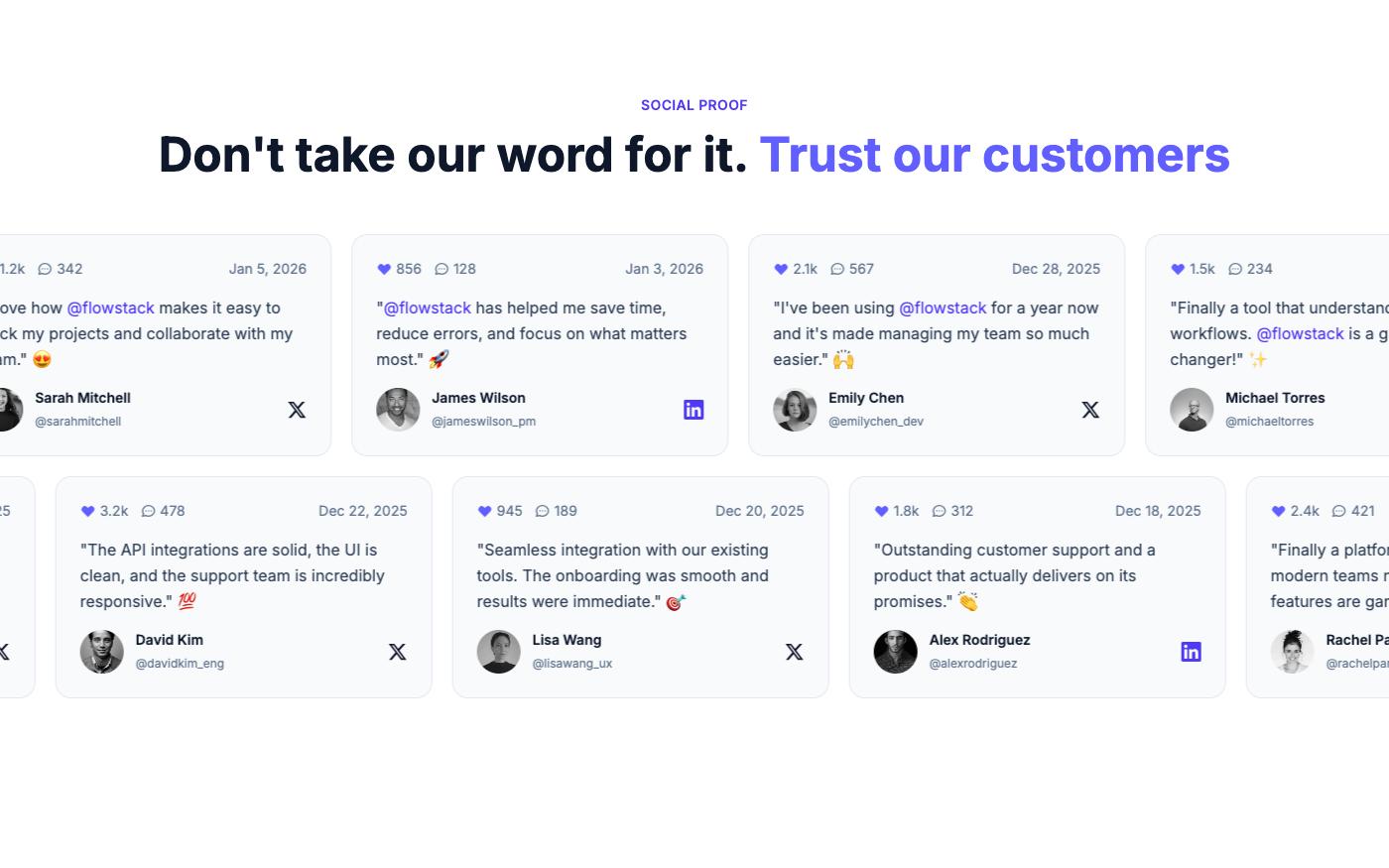
In Tailwind v4 you define the marquee animation in CSS with @theme, which creates an animate-marquee utility:
@import "tailwindcss";

@theme {
  --animate-marquee: marquee 40s linear infinite;

  @keyframes marquee {
    from { transform: translateX(0); }
    to { transform: translateX(-50%); }
  }
}
<div class="overflow-hidden">
<div class="flex w-max gap-6 animate-marquee hover:[animation-play-state:paused] motion-reduce:animate-none">
<!-- cards, then the same cards again (duplicate set gets aria-hidden="true") -->
</div>
</div>The track contains the cards twice so the loop has no visible jump at -50%. Hide the duplicate set from screen readers with aria-hidden="true" so quotes are not read twice, pause on hover, and stop the animation under motion-reduce.
6. Avatar navigation carousel
One large quote at a time, with avatars as the navigation. Each avatar acts as a tab, so the controls need to be buttons with accessible names. Preview: avatar navigation carousel.
7. Split image quote carousel
A large photo on one side and the quote on the other, with previous and next controls. This suits case-study style quotes where the customer's photo or workplace adds context.
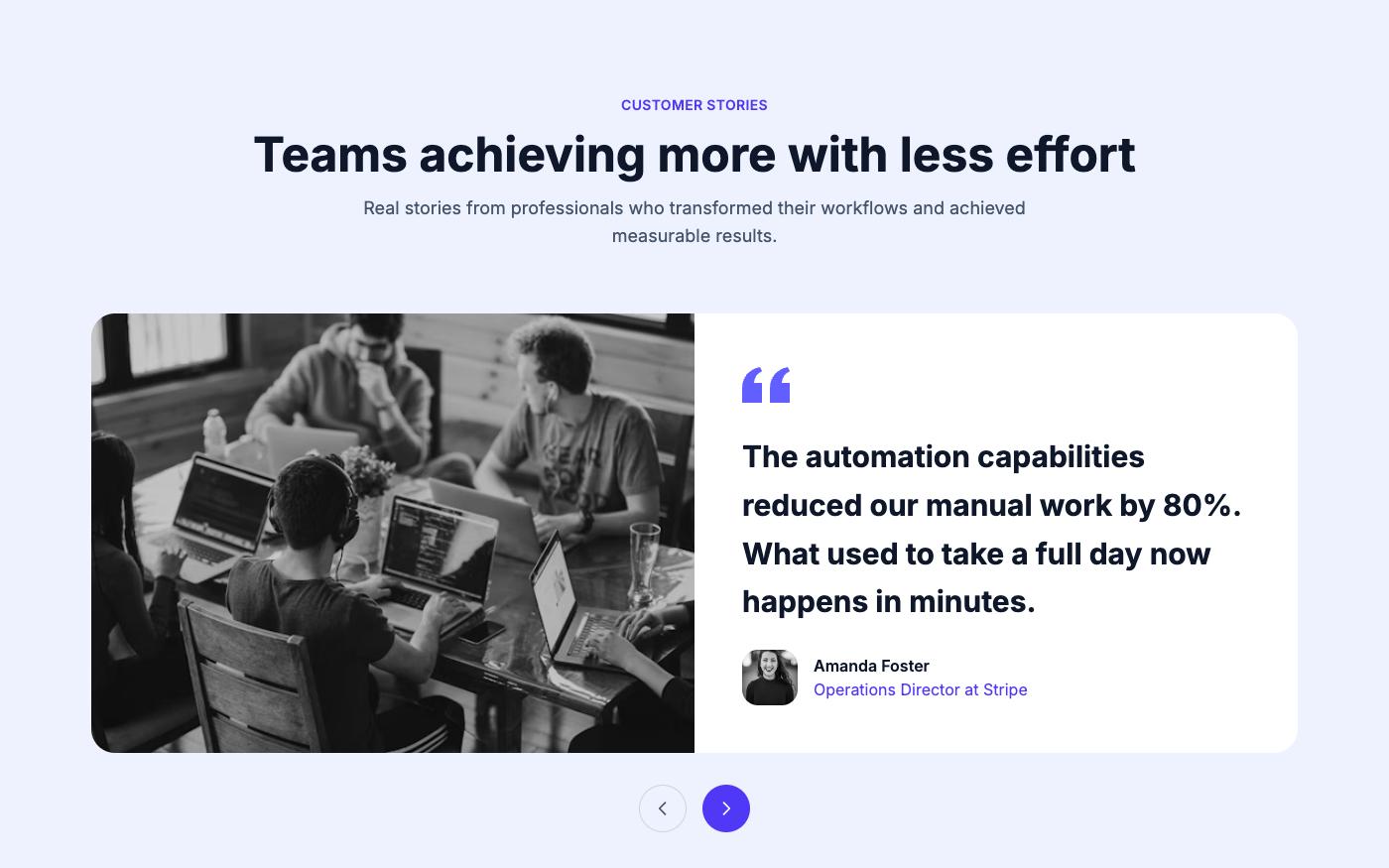
For any carousel, avoid auto-advance or give users a pause control, make the previous and next buttons keyboard accessible with labels like aria-label="Next testimonial", and make sure every slide is reachable without a mouse.
Video and image testimonials
Video testimonials take more effort to collect but carry a lot of weight, because visitors can see and hear the customer.
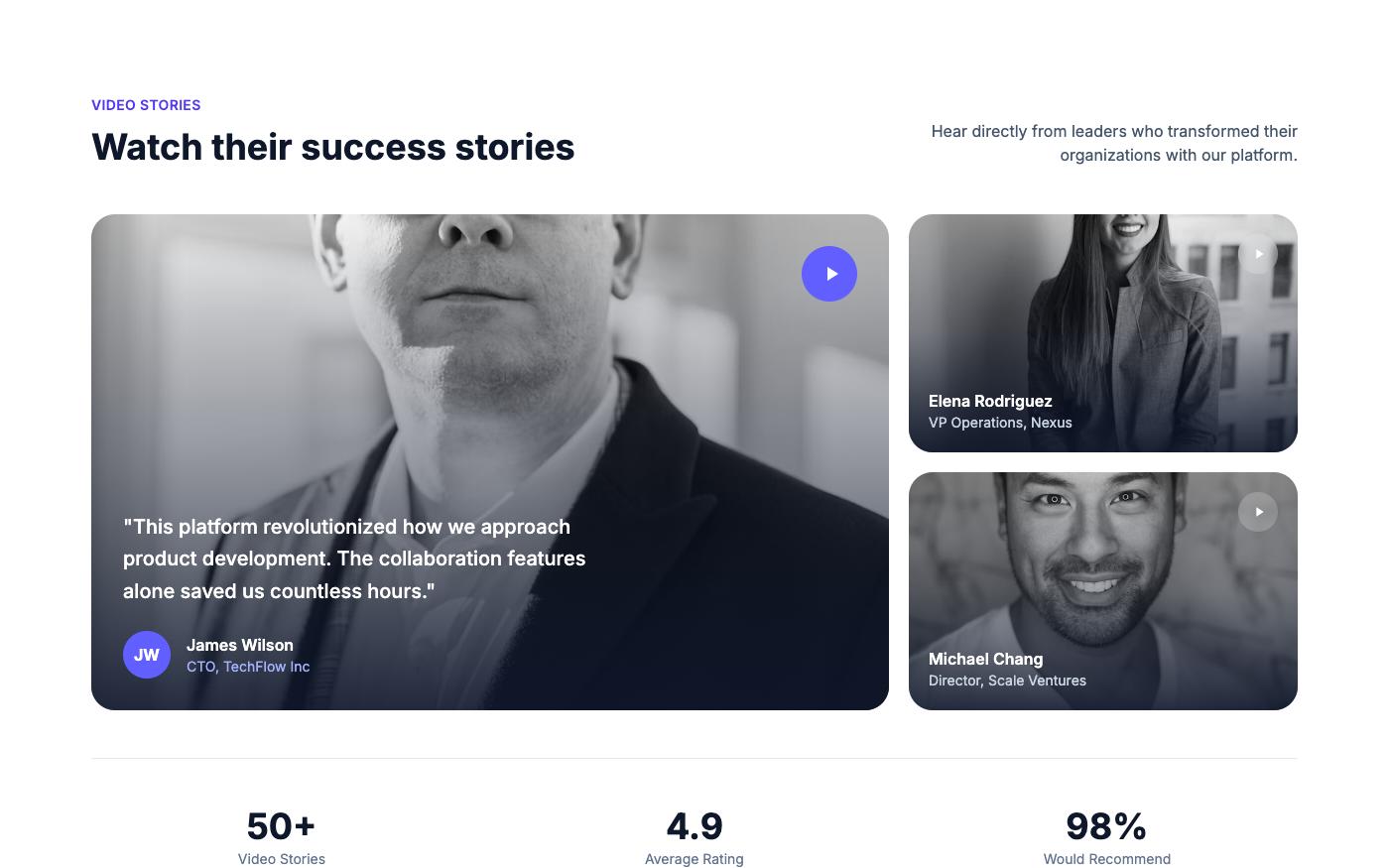
8. Bento video cards
Video thumbnails mixed with text quotes in a bento grid. Text cards keep the section readable for people who will not press play.
Tips for video testimonials:
- Add captions. Many people watch with sound off, and captions are required for accessibility.
- Use a poster image and
preload="none"so videos do not load until requested. - Put a one-line quote from the video as text next to the thumbnail, so the point gets across without playing it.
- Reserve space with
aspect-videoto avoid layout shift when the player loads.
Browse all of them in the testimonial block library, or see more layouts, including before-and-after, case study and app store review styles, in the Fresh collection.
Accessibility and dark mode
A short checklist before you publish a testimonial section:
- Quotes use
blockquoteinsidefigure, with attribution infigcaption. - Star ratings are announced once as text, not as five images.
- Muted text such as roles and company names meets contrast requirements in both themes.
text-neutral-600on white andtext-neutral-400onneutral-900are reasonable starting points; verify them with a checker. - Card borders and backgrounds have dark variants, for example
border-neutral-200 dark:border-neutral-800andbg-white dark:bg-neutral-900. - Moving content pauses on hover and stops under
motion-reduce. - Company logos used as social proof have alt text with the company name.
If you'd rather not hand-code it, Lindo.ai can build a site from any OpenTailwind template with AI, including the testimonial section.
FAQ
How many testimonials should a landing page have?
There is no fixed number. Three to six specific, attributed quotes are usually enough for a single landing page. Add more only if each one supports a different claim or audience.
Is a carousel or a grid better for testimonials?
A grid shows every quote without interaction and works without JavaScript, so it is the better default. Use a carousel when space is limited or when each testimonial includes a large image or video.
Can I use these testimonial sections with React or Next.js?
Yes. The blocks are HTML with Tailwind classes. Rename class to className, map your testimonial data to the card markup, and keep the carousel logic in a client component.
Where should testimonials go on a page?
Near the claims they support: after features, next to pricing, or right before the final call to action. Avoid putting all of them at the very bottom where few visitors scroll.
A good Tailwind CSS testimonial section starts with real, specific quotes and clear attribution, then uses the simplest layout that fits them. Start with a grid using the figure and blockquote markup above, move to a marquee or carousel only when you have the volume for it, and check motion, contrast and screen reader output before you publish.