
A good Tailwind CSS footer gives visitors a last set of useful links, a way to contact you or subscribe, and the legal details every site needs. Below are eight free footer layouts from OpenTailwind with screenshots, plus the base code for a responsive, accessible footer in Tailwind v4 that works in light and dark mode.
Each example links to a preview where you can copy the full HTML. All of them use plain Tailwind classes, so they work in any framework.
Table of contents
- What a footer needs
- Base footer code
- Simple and minimal footers
- Multi-column footers
- Newsletter and CTA footers
- Dark mode and accessibility
- Choosing a layout
- FAQ
What a footer needs
Footers are easy to overfill. Before picking a layout, decide which of these your site actually needs:
- Brand: logo and a one-line description of what you do.
- Navigation: links grouped by topic (Product, Company, Resources). Most small sites need one row of links; larger ones need columns.
- Contact: email, phone or address for local businesses.
- Conversion: a newsletter form or a final call to action.
- Legal: copyright, privacy policy, terms and cookie settings.
- Social links: icons with accessible names.
A SaaS product with docs and a changelog needs more structure than a portfolio. Match the footer to the size of the site rather than to the most complex example you can find.
Base footer code
This is a responsive four-column footer written for Tailwind CSS v4. It stacks on mobile, moves to two columns on small screens and four on large ones, and includes dark mode classes.
<footer class="border-t border-neutral-200 bg-white dark:border-neutral-800 dark:bg-neutral-950">
<div class="mx-auto max-w-7xl px-6 py-16 lg:px-8">
<div class="grid gap-12 sm:grid-cols-2 lg:grid-cols-4">
<div>
<a href="/" class="text-lg font-semibold text-neutral-900 dark:text-white">Acme</a>
<p class="mt-3 text-sm text-neutral-600 dark:text-neutral-400">Scheduling software for small clinics.</p>
</div>
<nav aria-labelledby="footer-product">
<h2 id="footer-product" class="text-sm font-semibold text-neutral-900 dark:text-white">Product</h2>
<ul class="mt-4 space-y-3 text-sm">
<li><a href="/features" class="text-neutral-600 hover:text-neutral-900 dark:text-neutral-400 dark:hover:text-white">Features</a></li>
<li><a href="/pricing" class="text-neutral-600 hover:text-neutral-900 dark:text-neutral-400 dark:hover:text-white">Pricing</a></li>
<li><a href="/changelog" class="text-neutral-600 hover:text-neutral-900 dark:text-neutral-400 dark:hover:text-white">Changelog</a></li>
</ul>
</nav>
<!-- Repeat the nav block for Company and Resources -->
</div>
<div class="mt-12 flex flex-col gap-4 border-t border-neutral-200 pt-8 text-sm text-neutral-500 sm:flex-row sm:items-center sm:justify-between dark:border-neutral-800 dark:text-neutral-400">
<p>© 2026 Acme, Inc.</p>
<ul class="flex gap-6">
<li><a href="/privacy" class="hover:text-neutral-900 dark:hover:text-white">Privacy</a></li>
<li><a href="/terms" class="hover:text-neutral-900 dark:hover:text-white">Terms</a></li>
</ul>
</div>
</div>
</footer>A few details worth copying even if you use a different layout:
- Each link group is a
<nav>labeled by its heading, so screen reader users can tell the groups apart in the landmarks list. - The bottom bar uses
flex-colon mobile andsm:flex-rowabove that, so the copyright and legal links never overlap. - Link colors change on hover in both themes, and the base colors meet contrast requirements on their backgrounds.
If your project uses a brand color, define it once with @theme in your CSS and replace the neutral shades where you want accents:
@import "tailwindcss";

@theme {
  --color-brand-600: oklch(0.51 0.23 277);
  --color-brand-400: oklch(0.67 0.18 277);
}
Simple and minimal footers
For landing pages, portfolios and one-page sites, a single row of links with a copyright line is often enough. It keeps the end of the page clean and puts the focus on the last call to action above it.
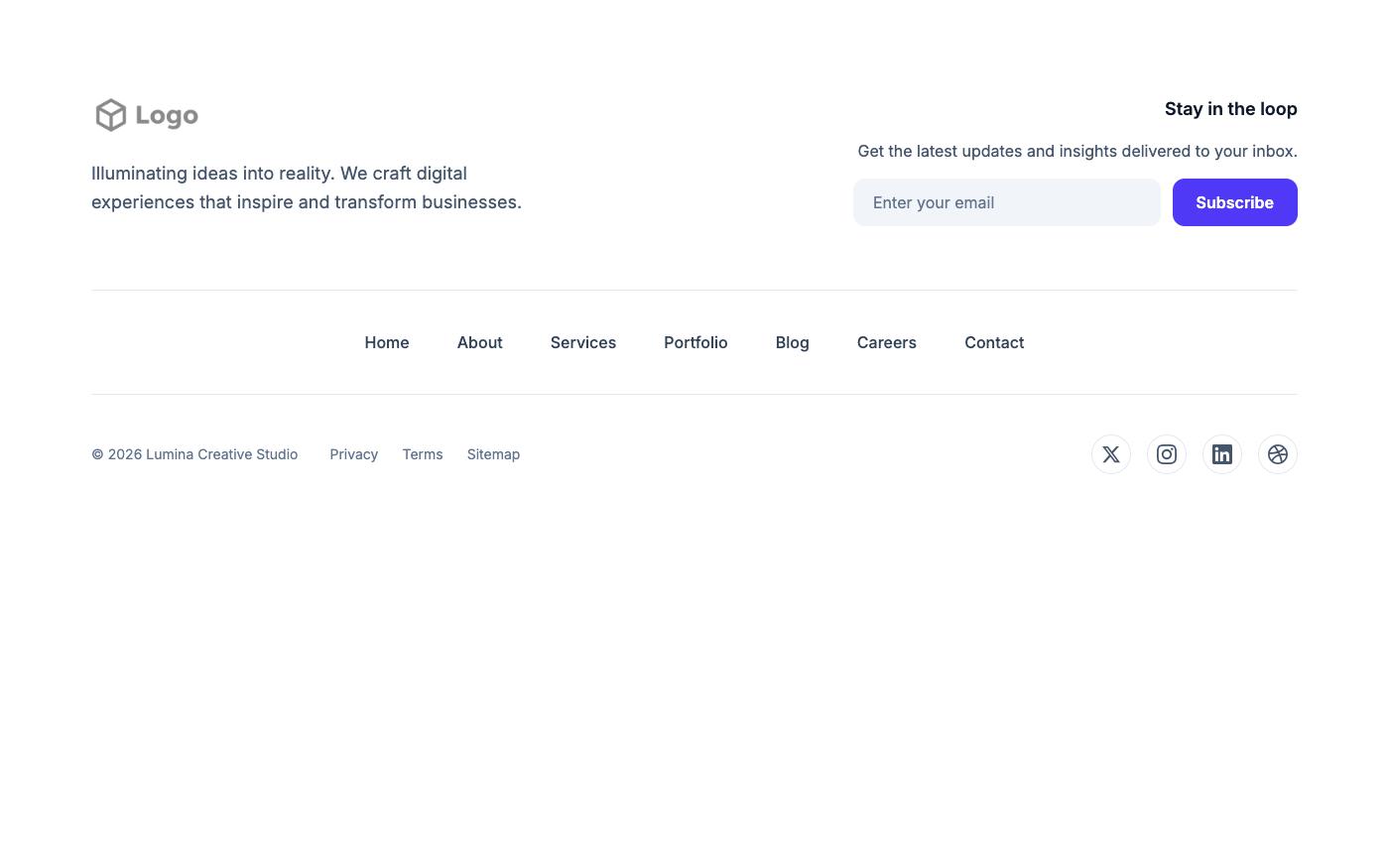
1. Simple horizontal nav
Logo, one row of links and a copyright line. Good for small sites with fewer than eight pages.
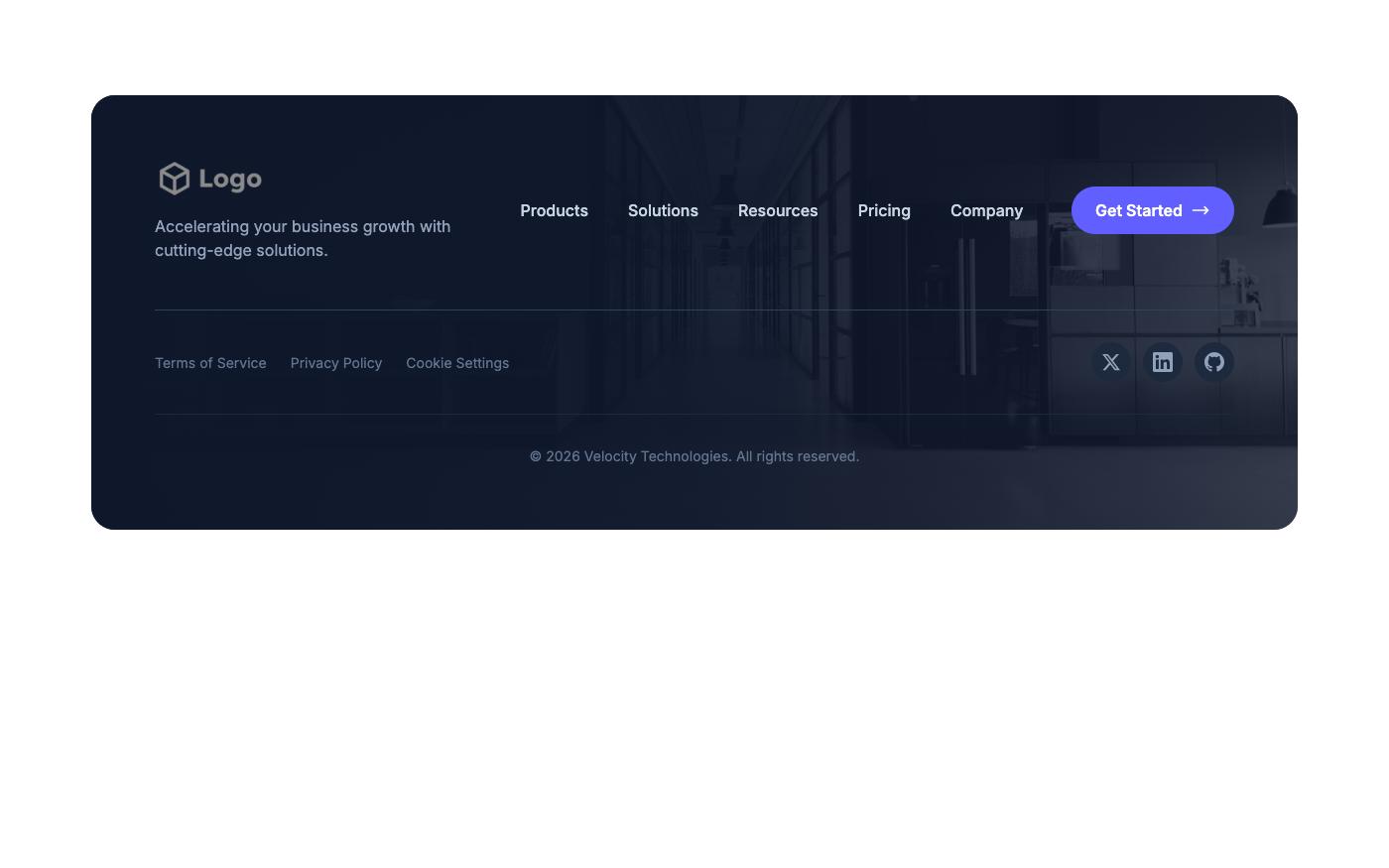
2. Card with horizontal nav
The same content inside a rounded card that sits above the page background. This works well when the rest of the page uses cards and you want the footer to match.
3. Nav with contact button
Adds a single contact button next to the links. Useful for service businesses where the main goal is getting in touch.
Preview it here: footer with contact button.
Multi-column footers
Once a site has docs, a blog, careers and several product pages, grouped columns make the footer easier to scan. Keep column headings short and limit each column to about five or six links.
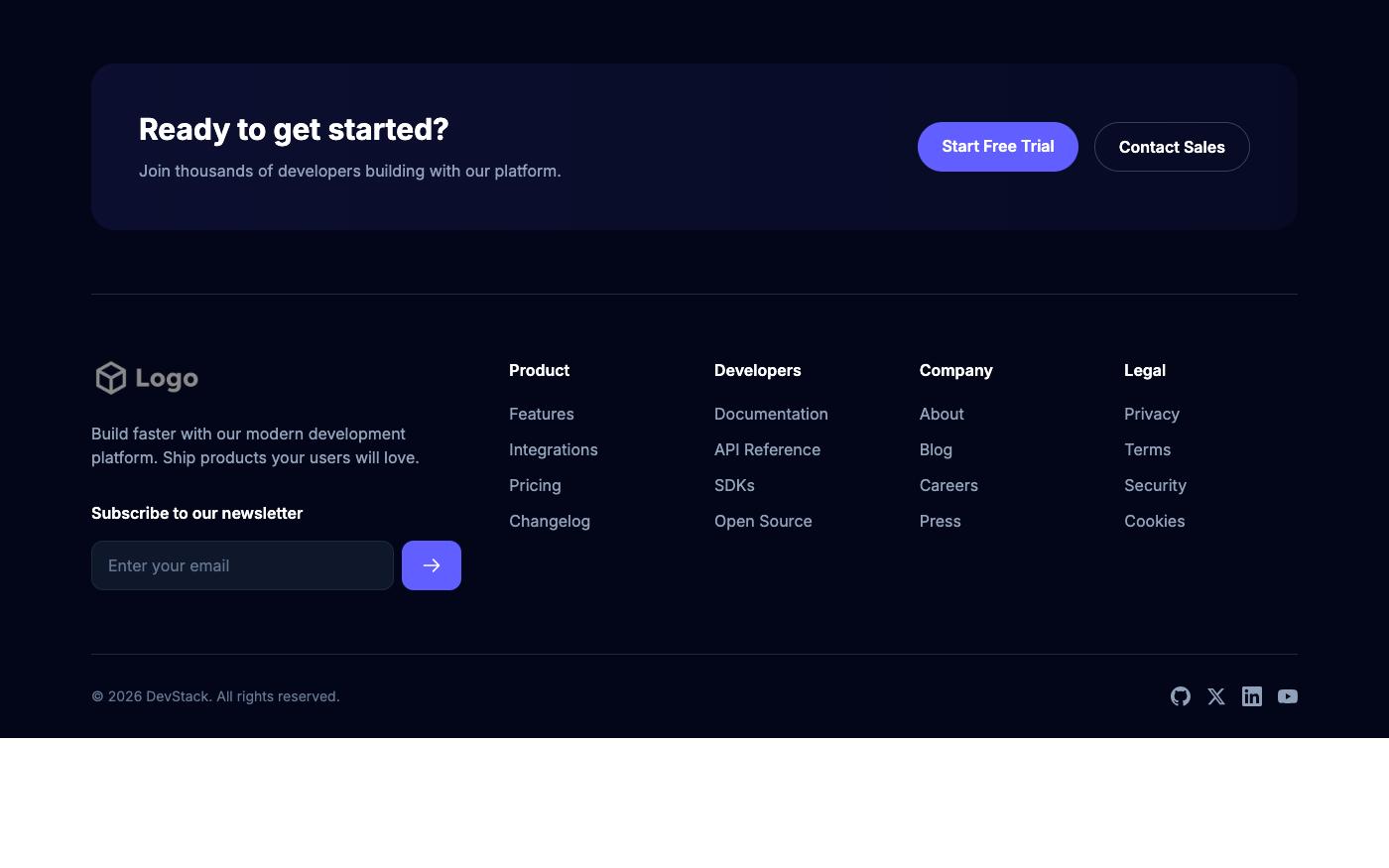
4. Dark footer with newsletter and columns
A dark background with link columns on one side and a subscribe form on the other. It separates the footer clearly from a light page body.
5. Four columns with subscribe
Four link groups and a subscribe field. This is the standard layout for SaaS sites with many pages. See it at four-column subscribe footer.
6. Logo, members and columns
Includes a brand area with member or partner details alongside the link columns, which suits communities, associations and agencies. Preview: logo and members footer.
Newsletter and CTA footers
If the footer is the last thing visitors see, it can also be a conversion point. These layouts put a form or call to action first and the links second.
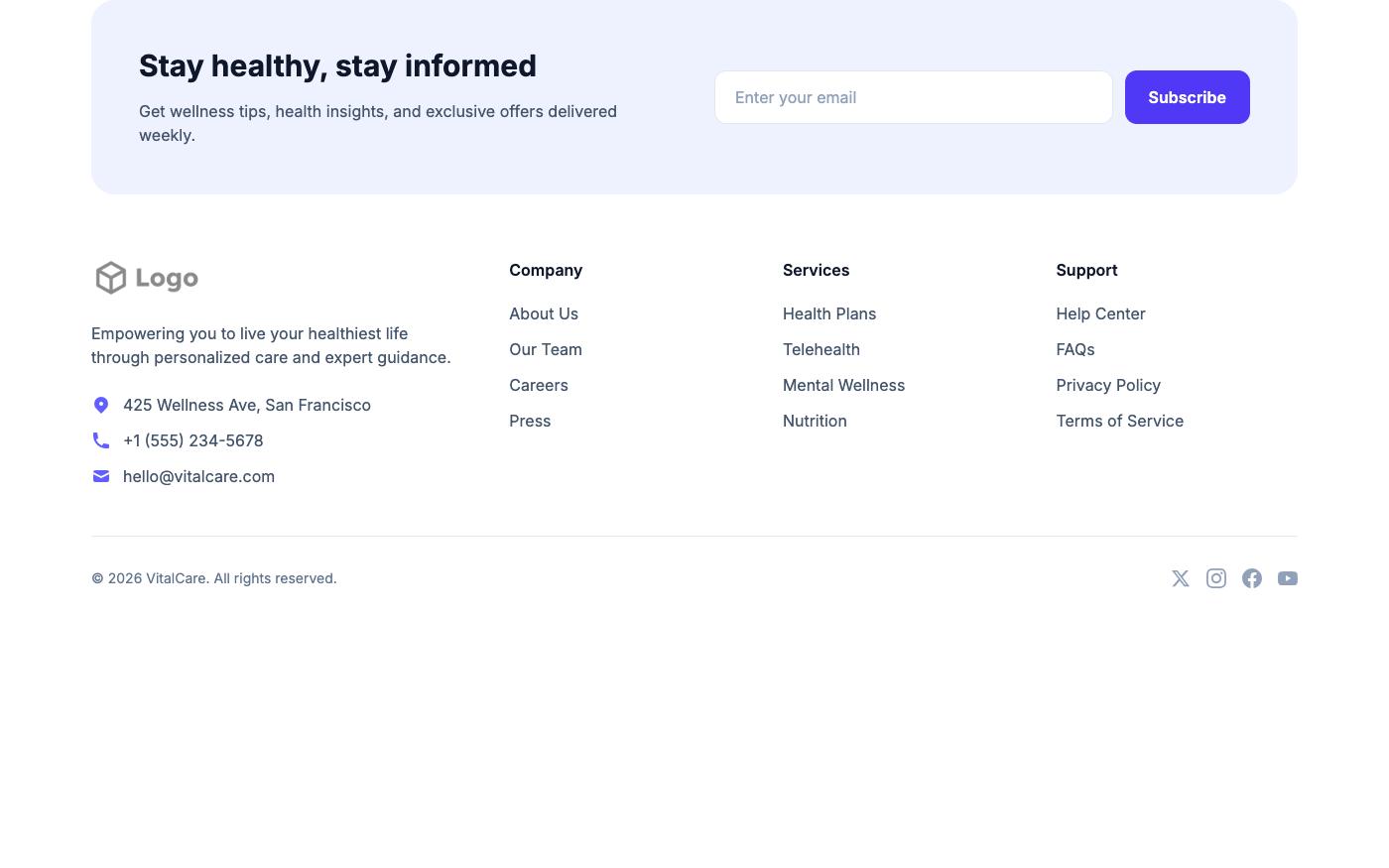
7. Contact and newsletter split
Contact details on one side and a newsletter form on the other. Good for local businesses that want both phone calls and email subscribers.
8. CTA and links split
A headline and button next to the link columns. Use this when the page above does not already end with a call to action section. Preview: CTA footer.
Every newsletter input needs a label. If the design shows only a placeholder, add a visually hidden one:
<form class="flex flex-col gap-3 sm:flex-row">
  <label for="footer-email" class="sr-only">Email address</label>
  <input id="footer-email" type="email" required autocomplete="email" placeholder="[email protected]"
         class="w-full rounded-lg border border-neutral-300 bg-white px-3 py-2 text-sm dark:border-neutral-700 dark:bg-neutral-900 dark:text-white" />
  <button type="submit" class="rounded-lg bg-indigo-600 px-4 py-2 text-sm font-medium text-white hover:bg-indigo-500 focus-visible:outline-2 focus-visible:outline-offset-2 focus-visible:outline-indigo-600">
    Subscribe
  </button>
</form>
See all of them in the footer block library. There is also a second set of footers with app download, social-focused and mega-link layouts in the Fresh collection.
Dark mode and accessibility
Footers often use small, low-contrast text, which is where accessibility problems hide. Check these points on every footer you ship:
- Contrast: muted link colors like
text-neutral-400on white usually fail WCAG AA. On light backgrounds start aroundtext-neutral-600; on dark backgrounds,text-neutral-400onbg-neutral-950is a reasonable starting point. Verify with a checker. - Social icons: icon-only links need an accessible name. Add
aria-label="GitHub"to the link or asr-onlyspan, andaria-hidden="true"on the SVG. - Tap targets: small inline links are hard to tap on phones. Add vertical padding or use
space-y-3between list items. - Both themes: a footer that is always dark is fine, but its text and borders still need to be readable when the rest of the site switches themes. Test in light and dark mode.
<a href="https://github.com/acme" class="text-neutral-500 hover:text-neutral-900 dark:text-neutral-400 dark:hover:text-white">
  <span class="sr-only">GitHub</span>
  <svg aria-hidden="true" class="size-5" fill="currentColor" viewBox="0 0 24 24">...</svg>
</a>
Choosing a layout
| Site type | Suggested footer |
|---|---|
| Landing page or portfolio | Simple horizontal nav (1 or 2) |
| Local or service business | Contact button or contact and newsletter split (3 or 7) |
| SaaS or product with docs | Multi-column with subscribe (4 or 5) |
| Community or agency | Logo, members and columns (6) or CTA split (8) |
If you would rather start from a complete page, the technology and SaaS templates and agency templates include matching headers and footers. If you'd rather not hand-code it, Lindo.ai can build a site from any OpenTailwind template with AI.
FAQ
How do I make a footer stick to the bottom of the page in Tailwind?
Make the page wrapper a flex column with a minimum height of the viewport and let the main content grow: <body class="flex min-h-dvh flex-col"> and <main class="flex-1">. The footer then sits at the bottom on short pages and follows the content on long ones.
Should a footer use h2 or h3 for column headings?
Use the next heading level after the last section in the page, which is usually h2. Some teams use styled p elements and label each nav with aria-label instead; both approaches work if they are consistent.
How do I keep the copyright year current?
Render it on the server or at build time in your framework. In static HTML, update it as part of your yearly maintenance, or set it with a short script.
Do these footers need JavaScript?
No. The OpenTailwind footers are HTML and Tailwind classes. Only form submission needs a handler, which depends on your email provider.
The right Tailwind CSS footer is the smallest one that covers your links, contact details and legal pages. Start from the base code above or copy one of the eight layouts, label your link groups and form fields, check contrast in both themes, and keep the content limited to what visitors actually look for at the end of a page.