
Container queries in Tailwind CSS v4 let a component change its layout based on the width of its parent element instead of the browser viewport. You mark a parent with the @container class, then use variants like @md:flex-row on its children. They are built into v4, so there is no plugin to install and no config file to edit.
This guide covers the syntax, the default sizes, named and nested containers, custom breakpoints, and the places where container queries are a better fit than regular md: and lg: breakpoints.
Table of contents
- Why container queries matter
- Basic syntax in Tailwind v4
- Default container sizes
- Max-width and range queries
- Named and nested containers
- Custom sizes and arbitrary values
- Real component examples
- FAQ
Why container queries matter
Viewport breakpoints answer one question: how wide is the screen? That works for page-level layout, but it breaks down for reusable components. A card that sits in a full-width section on one page might sit in a narrow sidebar on another. With md: variants, the card switches to its wide layout as soon as the viewport crosses 48rem, even when the card itself is only 300px wide.
Container queries fix this by letting the component respond to the space it actually has. The same markup works in a main column, a sidebar, a modal, or a three-column grid without extra props or duplicate classes.
Browser support is no longer a concern for most projects. Size container queries have been supported in all major evergreen browsers since 2023, and Tailwind v4 targets modern browsers anyway.
Basic syntax in Tailwind v4
Two pieces are required: a container and a child that queries it.
- Add
@containerto the parent. This setscontainer-type: inline-size, so the element becomes a query container based on its width. - Use
@-prefixed variants on descendants, such as@sm:,@md:or@lg:.
<div class="@container">
  <article class="flex flex-col gap-4 rounded-2xl border border-neutral-200 p-4 @md:flex-row @md:items-center dark:border-neutral-800">
    <img src="/product.jpg" alt="Desk lamp with brass finish" class="aspect-video w-full rounded-xl object-cover @md:w-48" />
    <div>
      <h3 class="text-lg font-semibold text-neutral-900 dark:text-white">Desk lamp</h3>
      <p class="text-sm text-neutral-600 dark:text-neutral-400">Stacks vertically in narrow spaces, sits side by side when the container is at least 28rem wide.</p>
    </div>
  </article>
</div>
In Tailwind v3 this required the @tailwindcss/container-queries plugin and a plugins entry in tailwind.config.js. In v4 the utilities ship with the framework. If you are migrating, remove the plugin and the classes keep working.
One rule to remember: an element cannot query itself. The @container class goes on a wrapper, and the @md: variants go on elements inside it.
Default container sizes
Container variants use the --container-* theme variables, which are the same scale used by max-w-* utilities. They are smaller than the viewport breakpoints because components are usually narrower than the screen.
| Variant | Minimum width | Variant | Minimum width |
|---|---|---|---|
@3xs | 16rem (256px) | @2xl | 42rem (672px) |
@2xs | 18rem (288px) | @3xl | 48rem (768px) |
@xs | 20rem (320px) | @4xl | 56rem (896px) |
@sm | 24rem (384px) | @5xl | 64rem (1024px) |
@md | 28rem (448px) | @6xl | 72rem (1152px) |
@lg | 32rem (512px) | @7xl | 80rem (1280px) |
@xl | 36rem (576px) |
Like viewport variants, container variants are mobile-first. @md:grid-cols-2 applies when the container is 28rem or wider, and stays applied at every larger size.
Max-width and range queries
Prefix the size with max- to target containers below a width. Stack a min and a max variant to target a range.
<div class="@container">
  <!-- Hidden only when the container is narrower than 24rem -->
  <p class="@max-sm:hidden">Extra detail for roomy layouts</p>

  <!-- Two columns only between 28rem and 42rem -->
  <ul class="grid gap-4 @md:@max-2xl:grid-cols-2 @2xl:grid-cols-3">
    <li>...</li>
  </ul>
</div>
Range queries are useful when a middle size needs a layout that neither the narrow nor the wide version uses. For most components, a plain mobile-first chain is easier to read.
Named and nested containers
By default, a container variant matches the nearest ancestor with @container. When containers are nested, you can name them with a slash and target a specific one.
<main class="@container/main">
  <aside class="@container/sidebar w-72">
    <div class="flex flex-col @lg/main:flex-row @xs/sidebar:gap-6">
      ...
    </div>
  </aside>
</main>
Here @lg/main:flex-row reacts to the width of main, while @xs/sidebar:gap-6 reacts to the sidebar. Names keep nested layouts predictable, and they also document intent for the next person reading the markup.
If you need an element to be a named container without size containment, use @container-normal. It sets container-type: normal, which is mostly useful for style queries written in custom CSS.
Custom sizes and arbitrary values
To add or change container sizes, define --container-* variables in your CSS with @theme. There is no tailwind.config.js involved.
@import "tailwindcss";

@theme {
  --container-8xl: 96rem;
  --container-card: 22rem;
}
That gives you @8xl: and @card: variants, plus matching max-w-8xl and max-w-card utilities. For one-off cases, use arbitrary values:
<div class="@container">
  <div class="block @min-[475px]:flex @max-[960px]:gap-3">...</div>
</div>
Container query length units also work with arbitrary values. cqw is 1% of the container width, so text-[clamp(1.25rem,6cqw,2.5rem)] scales a heading with its card instead of the viewport.
Real component examples
Container queries are most useful for blocks that get dropped into different layouts. Three patterns come up often.
Bento and feature grids
Bento layouts mix wide and narrow tiles. Each tile can be its own container, so a tile that spans two columns shows an image beside its text, while a single-column tile stacks them. The tile markup stays identical.

Pricing cards in different column counts
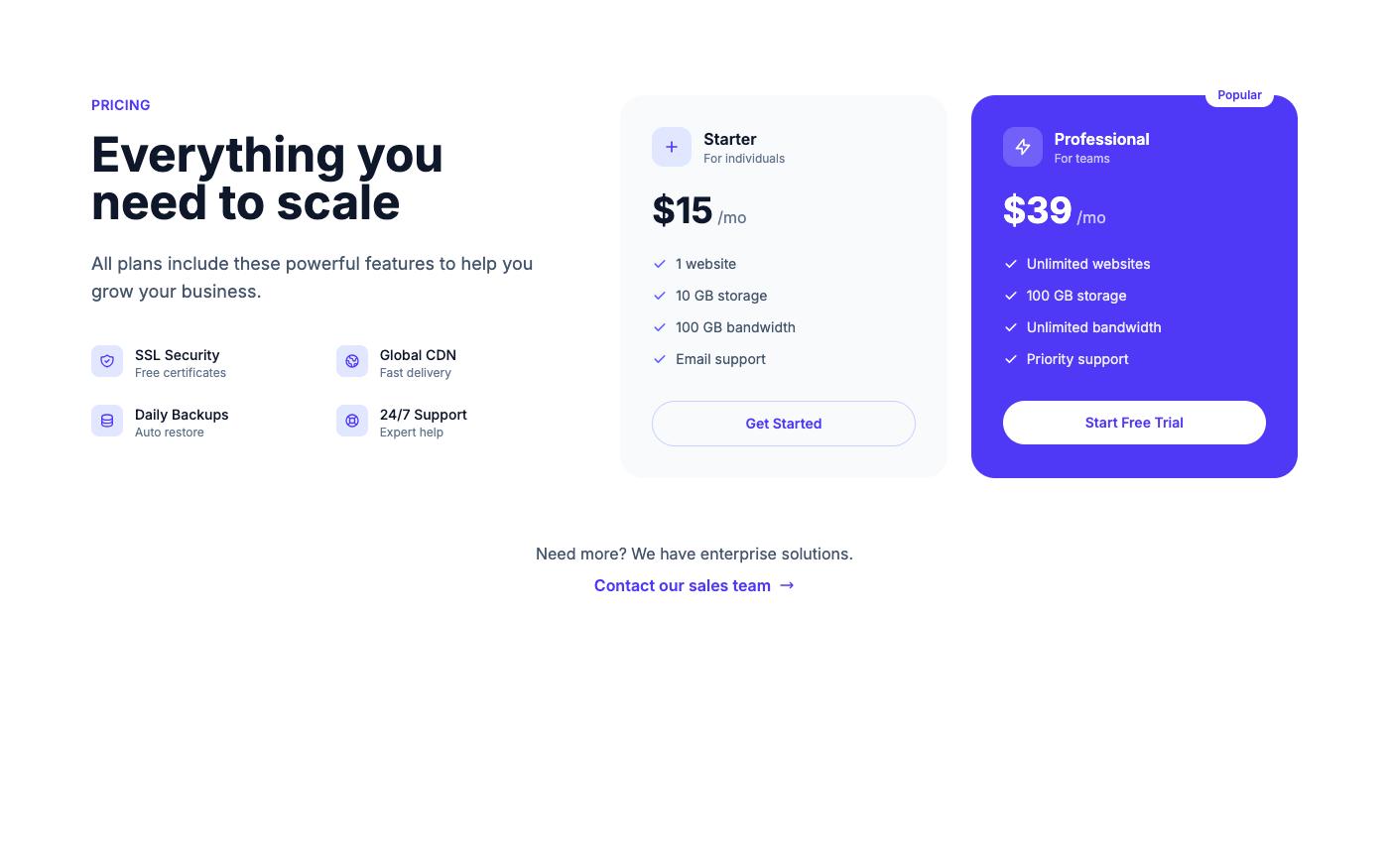
A pricing card might appear in a three-column grid on the pricing page and alone on a checkout sidebar. With @container on each card wrapper, the feature list can switch from one column to two only when the card has room for it.
Dashboard widgets
Dashboards let users resize or rearrange panels. Viewport breakpoints cannot help here, because the viewport does not change when a panel does. Wrapping each widget in @container lets charts and stat rows adapt to the panel width.

The OpenTailwind blocks use standard viewport breakpoints, which is the right default for full-width page sections. If you move a block into a narrower slot, swap the relevant md: and lg: variants for @md: and @lg: and add @container to the wrapper. Browse the feature blocks and pricing blocks for starting points.
When to keep viewport breakpoints
Container queries are not a replacement for everything. Keep md: and lg: for page shells, headers, navigation and full-width hero sections, where the container and the viewport are effectively the same width. A good rule: use viewport variants for layout that owns the page, and container variants for components that live inside that layout.
FAQ
Do I need a plugin for container queries in Tailwind v4?
No. Container queries are part of Tailwind CSS v4 core. The @tailwindcss/container-queries plugin was only needed in v3.
Why is my @md: variant not applying?
The most common cause is putting @container and @md: on the same element. An element cannot query its own size. Move @container to a parent. Also check that the container has a width; an inline-size container inside a shrink-to-fit flex item can collapse.
Can I combine container and viewport variants?
Yes. Classes like lg:@md:grid-cols-2 are valid, though they are rarely needed. Usually one or the other is enough for a given element.
Are container queries slower than media queries?
Not in a way that matters for typical pages. Browsers evaluate them natively. Avoid making every element on the page a container; add @container only where a child actually queries it.
Container queries make reusable components behave the way you expect them to: based on the space they get. In Tailwind v4 the setup is one class on the parent and @-prefixed variants on the children, with custom sizes defined in CSS through @theme. Start with your cards and widgets, keep viewport breakpoints for page layout, and you will write fewer one-off variants for each place a component appears.