
In Tailwind CSS v4 you customize fonts and the rest of your design system in CSS, not in tailwind.config.js. Load the font file, then declare it inside an @theme block, for example --font-display: "Fraunces", serif;, and Tailwind generates a matching font-display utility. Colors, spacing, breakpoints and radii work the same way through their own variable namespaces.
Table of contents
- How @theme works
- Adding custom fonts
- Fonts in Next.js with next/font
- Brand colors
- Spacing, type scale and breakpoints
- Semantic tokens and dark mode
- FAQ
How @theme works
@theme is a CSS block where you define design tokens as custom properties. Each variable belongs to a namespace, and the namespace decides which utilities it creates:
| Namespace | Example variable | Utilities |
|---|---|---|
--font-* | --font-display | font-display |
--color-* | --color-brand-500 | bg-brand-500, text-brand-500, ... |
--text-* | --text-hero | text-hero |
--spacing | --spacing: 0.25rem | p-4, gap-6, w-80, ... |
--breakpoint-* | --breakpoint-3xl | 3xl: variant |
--radius-* | --radius-card | rounded-card |
--shadow-* | --shadow-soft | shadow-soft |
Two things make this different from plain :root variables. First, Tailwind only generates utilities from variables declared in @theme. Second, every theme variable is also emitted as a real CSS variable, so you can use var(--color-brand-500) in custom CSS, inline styles or JavaScript.
Adding custom fonts
From Google Fonts
The quickest option is a stylesheet link in your HTML head, with a preconnect for faster loading:
<link rel="preconnect" href="https://fonts.googleapis.com" />
<link rel="preconnect" href="https://fonts.gstatic.com" crossorigin />
<link href="https://fonts.googleapis.com/css2?family=Fraunces:wght@400;600&family=Inter:[email protected]&display=swap" rel="stylesheet" />
Then register the families in your CSS:
@import "tailwindcss";

@theme {
  --font-sans: "Inter", ui-sans-serif, system-ui, sans-serif;
  --font-display: "Fraunces", ui-serif, Georgia, serif;
}
Overriding --font-sans changes the default font for the whole page, because Preflight applies it to html. Adding --font-display creates a new font-display class for headings. If you prefer to import the Google stylesheet from CSS instead of HTML, the @import url(...) line must come before @import "tailwindcss", since CSS requires imports at the top of the file.
Self-hosted fonts
Self-hosting avoids a third-party request and gives you full control over caching. Put the .woff2 files in your public folder and declare them with @font-face outside the theme block:
@import "tailwindcss";

@font-face {
  font-family: "Satoshi";
  src: url("/fonts/Satoshi-Variable.woff2") format("woff2");
  font-weight: 300 900;
  font-style: normal;
  font-display: swap;
}

@theme {
  --font-sans: "Satoshi", ui-sans-serif, system-ui, sans-serif;
}
A variable font file with a weight range covers every font-light through font-black class in one download. Add <link rel="preload" as="font" type="font/woff2" crossorigin> for the main file if text flashes on first load.
Theme variables can also carry font settings. --font-sans--font-feature-settings: "cv11", "ss01"; applies OpenType features whenever font-sans is used.
Keeping font loading fast
Custom fonts are often the largest render-blocking asset on a landing page. A few habits keep them in check. Load only the weights you use; a heading font usually needs one or two. Prefer variable fonts when you need several weights. Use font-display: swap so text renders in the fallback font immediately. And keep the fallback stack close in shape to the web font, since a very different fallback causes visible layout shift when the real font arrives. Two families per site is a sensible upper limit for most projects.
Fonts in Next.js with next/font
next/font self-hosts Google fonts at build time and exposes each font as a CSS variable. Set the variable option and add the generated class to html:
// app/layout.tsx
import { Inter, Fraunces } from "next/font/google";

const inter = Inter({ subsets: ["latin"], variable: "--font-inter" });
const fraunces = Fraunces({ subsets: ["latin"], variable: "--font-fraunces" });

export default function RootLayout({ children }) {
  return (
    <html lang="en" className={inter.variable + " " + fraunces.variable}>
      <body>{children}</body>
    </html>
  );
}
Then point the theme at those variables with @theme inline:
@theme inline {
  --font-sans: var(--font-inter);
  --font-display: var(--font-fraunces);
}
The inline keyword makes utilities use the variable's value directly instead of referencing the theme variable. Without it, a theme variable that contains var() is resolved where the theme is declared (:root), so if the referenced variable is set on a deeper element, utilities can end up with the wrong value. Using inline whenever a theme value is itself a variable avoids that class of bug.

Brand colors
Add a brand palette under --color-*. Tailwind's default palette uses OKLCH, which keeps perceived lightness consistent across hues, and your colors can use any CSS color format:
@theme {
  --color-brand-50: oklch(0.97 0.02 265);
  --color-brand-100: oklch(0.93 0.04 265);
  --color-brand-500: oklch(0.6 0.19 265);
  --color-brand-600: oklch(0.51 0.2 265);
  --color-brand-900: oklch(0.3 0.12 265);
}
Every color utility picks these up: bg-brand-600, text-brand-50, border-brand-100, ring-brand-500/40, from-brand-500 and so on. Opacity modifiers work because v4 uses color-mix() under the hood.
To remove Tailwind's default colors entirely and keep only your own, reset the namespace first with --color-*: initial; at the top of the @theme block. The same trick works for any namespace, and --*: initial; resets the entire default theme.
Spacing, type scale and breakpoints
Spacing in v4 is a single multiplier. --spacing: 0.25rem is the default, and every spacing utility computes from it, so p-4 is calc(var(--spacing) * 4). Changing it scales all padding, margin, gap and size utilities proportionally, which is rarely what you want on an existing project but handy for a denser admin UI.
Font sizes can define a default line height, letter spacing and weight using double-dash sub-properties:
@theme {
  --text-hero: 4.5rem;
  --text-hero--line-height: 1.05;
  --text-hero--letter-spacing: -0.03em;
  --text-hero--font-weight: 600;

  --breakpoint-3xl: 120rem;
  --radius-card: 1.25rem;
}
Now text-hero sets all four properties, 3xl: is available as a variant, and rounded-card exists. Define breakpoints in rem so they sort correctly with Tailwind's defaults.
Semantic tokens and dark mode
Brand scales are useful, but components are easier to theme when they use semantic names like bg-surface and text-muted. Define raw values on :root and .dark, then map them into the theme with @theme inline:
@import "tailwindcss";

@custom-variant dark (&:where(.dark, .dark *));

:root {
  --surface: oklch(1 0 0);
  --ink: oklch(0.2 0 0);
  --muted: oklch(0.55 0 0);
}

.dark {
  --surface: oklch(0.17 0 0);
  --ink: oklch(0.96 0 0);
  --muted: oklch(0.7 0 0);
}

@theme inline {
  --color-surface: var(--surface);
  --color-ink: var(--ink);
  --color-muted: var(--muted);
}
The @custom-variant line switches the dark: variant from the operating system preference to a .dark class on html, which you need for a manual theme toggle. Components then use bg-surface text-ink and flip automatically, while dark: remains available for one-off adjustments.
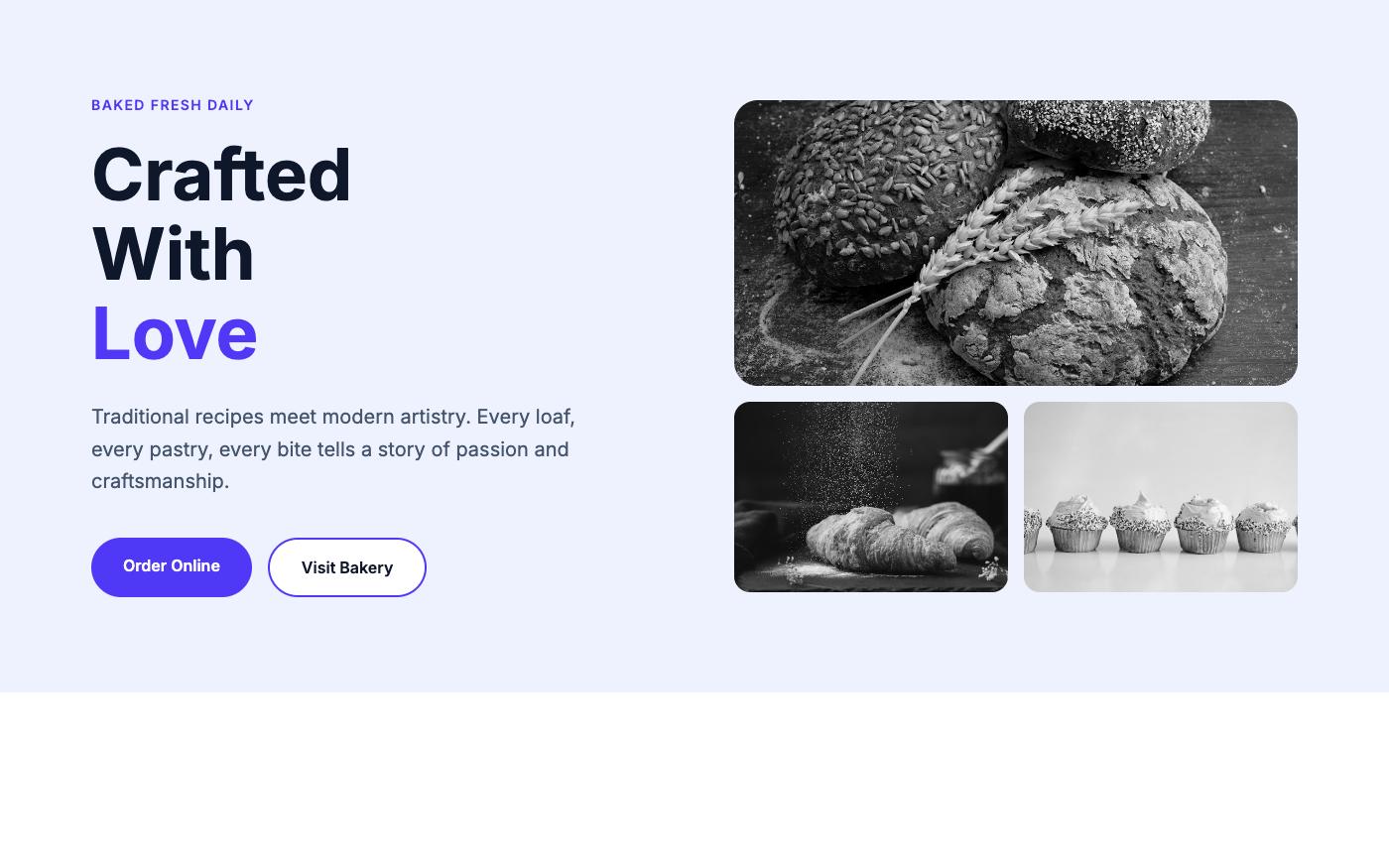
OpenTailwind blocks use standard Tailwind color and font utilities, so dropping a block into a project with a customized @theme picks up your defaults. Browse the hero blocks or full landing templates to see how different type pairings change a layout. If you'd rather not hand-code it, Lindo.ai can build a site from any OpenTailwind template with AI.
FAQ
Can I still use tailwind.config.js in v4?
Yes, for compatibility. Load it with @config "./tailwind.config.js"; in your CSS. New projects don't need one, and some options like corePlugins aren't supported in v4.
Why doesn't my custom font class work?
Check that the variable is inside @theme, not :root, and that it uses the --font- prefix. Also confirm the font file actually loads in the browser's network panel; a utility can be generated correctly while the font itself fails.
What's the difference between @theme and @theme inline?
@theme utilities reference the theme variable, like font-family: var(--font-sans). @theme inline utilities use the value directly. Use inline when the value is itself a var() pointing at something defined elsewhere.
How do I use theme values in custom CSS?
Reference the generated variables, such as var(--color-brand-600) or var(--font-display). You can also use --spacing(4) inside custom CSS to get a value from the spacing scale.
The v4 theme system replaces a JavaScript config with a few lines of CSS. Load your font files, declare them under --font-*, add brand colors under --color-*, and use @theme inline plus @custom-variant for semantic tokens and class-based dark mode. Because the tokens are real CSS variables, the same values are available to utilities, custom CSS and scripts.